

Updating Malenki HV software (programming)
Even though MalenkiHV come preprogrammed with latest software from Mark, you might be interested in updating it. Here we will show you how to do it yourself.
First of all, you need a UPDI programmer. A cheap and easy way to get one is to take an AVR MCU (atmega328p, so Arduino nano, uno and similar) and upload jtag2updi code. You can get the code here: https://github.com/ElTangas/jtag2updi
When you download the repository, open the source folder where you will find the .ino code. Upload it to an Arduino Nano and that’s the first part done.
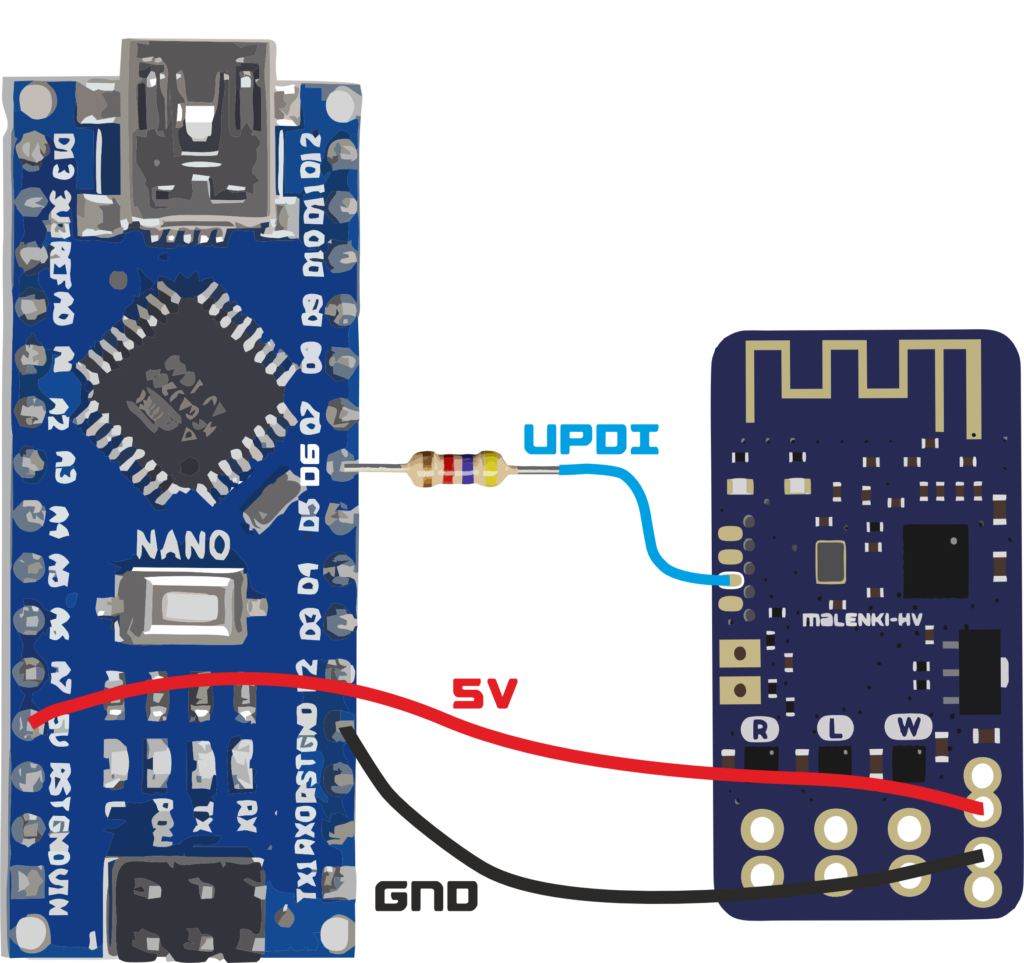
Next, you will have to connect the programmer to the Malenki. First of all, you will have to power the board and the easiest way to do so is to take the Arduino 5V and connect it to the power input. But if you also plan on testing the motors, I really suggest connecting a Lipo to the Malenki, just don’t forget to solder only the ground to the programmer.
Also, you will need a programming wire together with a 3 – 6k resistor in series connected to D6. The UPDI pin is the second bottom one (in the top layer, as the bottom layer has different connections).
Here’s an example diagram down below:
Next, you will have to download AVRDudess (it’s a GUI interface for avrdude so it’s easier to work with). Here you can download it: https://github.com/avrdudes/avrdude/releases
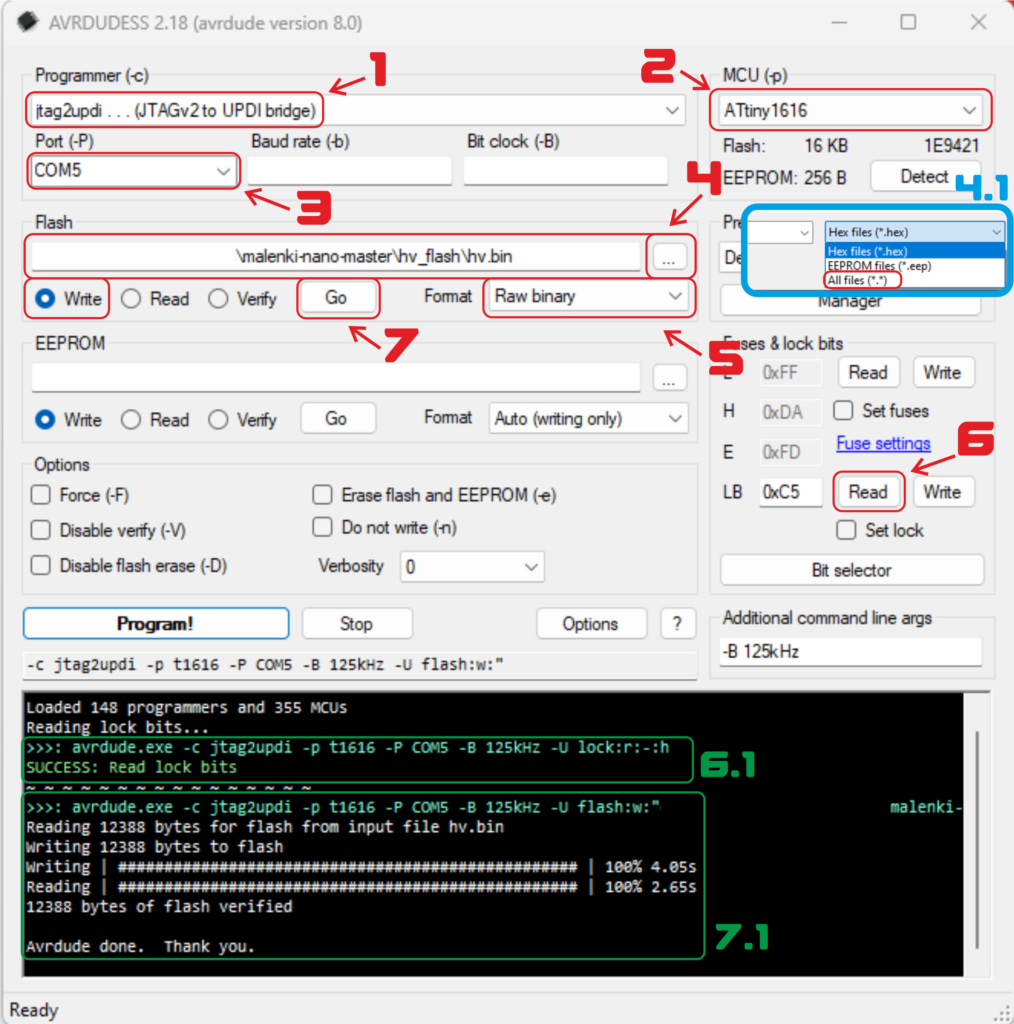
After downloading and installing AVRDudess you will have to do these steps:
- Change the programmer to jtag2updi
- Change the MCU to ATtiny1616 as that is what the Malenki uses
- Select the COM port
- Select the compiled binary. There is one already precompiled included in the repository of the malenki. You can find it here. But always check if it’s the latest one.
4.1 When you open the file explorer you might not see the binary. Check if all files are shown. - Select the format to Raw Binary
- Before uploading code, check if you can read the fuses. If not, go down to the troubleshooting section. If you can, it should look like 6.1
- If 6.1 was ok, you can press go and program the Malenki. If everything is correct the output will be like 7.1
Troubleshooting:
Most typical problem is seen below:
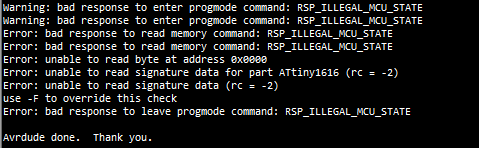
This is typically caused by two reasons bad connections or because the Malenki is not getting power. If you get such error, check if your connections are correct and if the Malenki is wired correctly.